AI Quiz Generator by Coursebox

AI Quiz Generator by Coursebox

Turn any topic or learning material into an interactive quiz in seconds.

No reviews yet

Be the first
Overview

What is AI Quiz Generator by Coursebox?

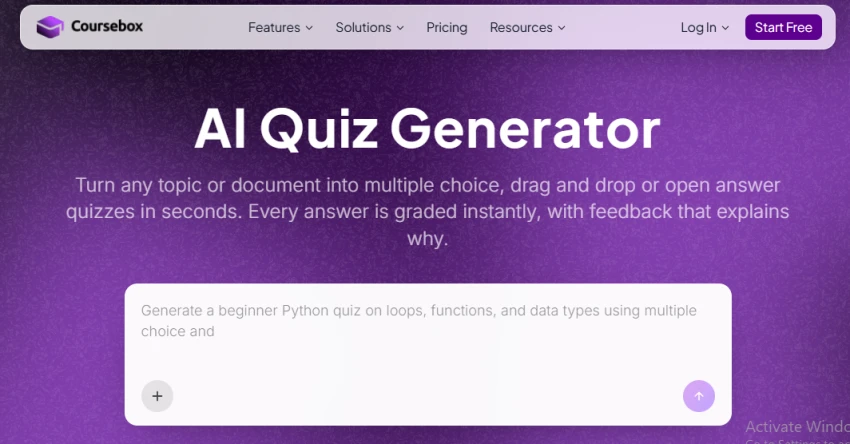
Coursebox’s quiz generator turns a topic or document into a quiz in seconds. The site emphasizes fast assessment creation from uploaded learning content, with support for generating quizzes and assessments from course material, documents, or even a topic prompt. It also highlights quiz formats such as multiple choice, open answer, and drag-and-drop, plus instant AI feedback on every answer. The positioning centers on turning existing content into ready-to-use quizzes with minimal manual writing.
Capabilities

AI Quiz Generator by Coursebox features

Turn any topic or document into a quiz in seconds
Generate quizzes and assessments from course content
Multiple choice, open answer, and drag-and-drop question types
Instant AI feedback on every answer
Quiz creation from documents and learning materials
Deep dive

More about AI Quiz Generator by Coursebox

Features

  • Topic-to-Quiz: Enter a topic and generate quiz questions automatically.
  • Document-to-Quiz: Upload learning material and create questions from it.
  • URL-to-Quiz: Provide a webpage URL as the source for quiz generation.
  • Course-Grounded Quizzes: Generate questions based on the actual content learners studied. 
  • Multiple Question Types: Create multiple-choice, open-answer, and drag-and-drop questions.
  • Editable Questions: Review and modify generated questions before publishing.
  • Automatic Grading: Automatically grade supported question types.

Use Cases

  • Creating quizzes for online courses.
  • Generating tests from PDFs and training documents.
  • Creating employee training assessments.
  • Building knowledge checks after lessons.
  • Preparing classroom quizzes.
  • Creating practice tests for students.

Dos and Don'ts

Do

  • Upload the actual training or course material when you want content-specific questions.
  • Review every generated question before publishing.
  • Adjust questions to match the learner's level.
  • Use different question types to test different skills.
  • Use rubrics when grading open-ended responses.
  • Check translated questions before using them for formal assessments.

Don't

  • Publish AI-generated questions without reviewing them.
  • Use vague source material if you need highly specific questions.
  • Assume every generated question has the correct difficulty level.
  • Rely exclusively on multiple-choice questions for complex skills.
  • Use AI grading without checking the rubric and expected answers.
The verdict

Pros & cons

Pros

Creates quizzes directly from documents, URLs, topics, or course content. 

Supports multiple-choice, open-answer, and drag-and-drop questions.

Questions can be reviewed and edited before publishing.

Gives learners instant feedback after answering.

Can generate questions based specifically on the material taught in a course.

Cons

It is part of a broader course-authoring/LMS platform, so it may be more than needed for someone who only wants a simple standalone quiz generator.

Free usage comes with limited AI credits and course limits. 

Free courses include Coursebox branding/watermarks.

★ Verified reviews

AI Quiz Generator by Coursebox reviews

No reviews yet — be the first to share your experience.

No reviews yet

Be the first to share an honest, verified review of AI Quiz Generator by Coursebox.

~ Compare

AI Quiz Generator by Coursebox alternatives

Other tools in the same category worth a look.

See full category