No reviews yet
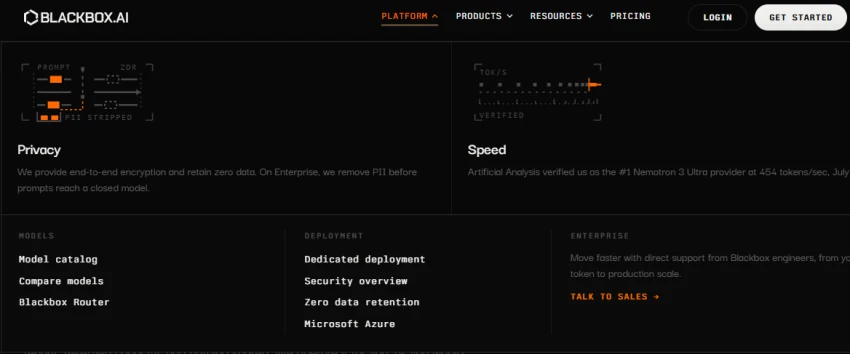
Be the firstI opened the BLACKBOX AI website and explored the Platform section to understand the available development and deployment options. I reviewed the model catalog, model comparison, BLACKBOX Router, dedicated deployment, security overview, zero-data-retention options, and Microsoft Azure deployment.
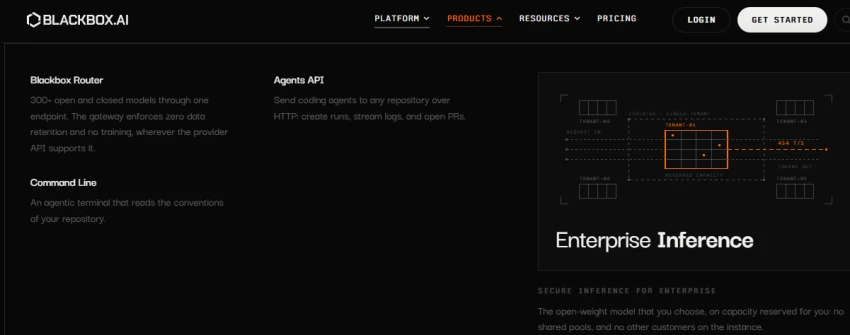
I opened the Products section to explore the tools available on BLACKBOX AI. I found options such as BLACKBOX Router, Agents API, and Command Line. The Agents API allows coding agents to work with repositories, while Command Line provides an agentic terminal for working with a repository.
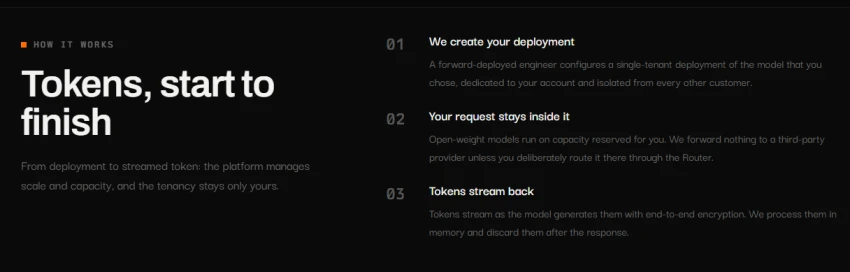
I checked the "How It Works" section to understand how BLACKBOX AI handles requests. The platform explains that a dedicated deployment is created, requests remain within the selected deployment, and generated tokens are streamed back with encryption.
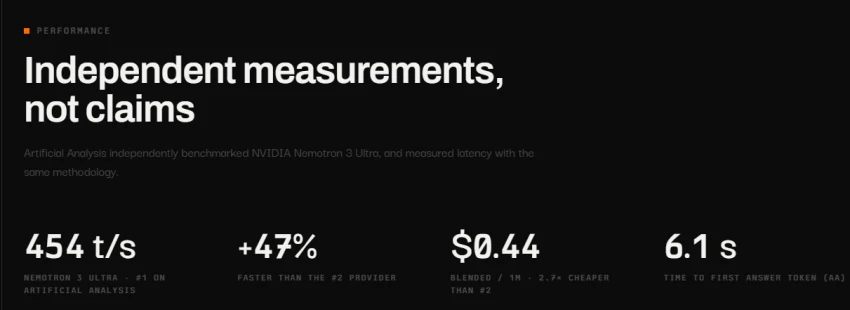
I then reviewed the performance section to see the platform's reported model speed and response metrics. The page displays a benchmark of 454 tokens per second and a reported 6.1-second time to the first answer token.
During my hands-on review, I explored BLACKBOX AI's platform, product options, deployment process, security features, and performance information. This helped me understand how its coding tools and model infrastructure are structured before testing its actual coding workflow.
Provides multiple coding models through the BLACKBOX Router.
Agents API can send coding agents directly to a repository and create pull requests.
Command Line tool can work with the conventions and files of an existing repository.
Dedicated deployment keeps model capacity isolated for enterprise use.
The platform has many separate tools and deployment options, which can take time to understand.
Some advanced features, such as dedicated deployment and enterprise support, are mainly designed for larger development teams.
No reviews yet — be the first to share your experience.
Be the first to share an honest, verified review of Balckbox AI.
Other tools in the same category worth a look.

Agentic AI IDE for faster software development
Be the first to review
Agentic AI IDE for intelligent, faster, and collaborative software dev...
Be the first to review
AI-powered SQL assistant and knowledge base for smarter data analysis
Be the first to review
AI-powered SQL assistant for generating, explaining, fixing, and optim...
Be the first to review
Explore and analyze GitHub open-source data with powerful insights
Be the first to review
Build full-stack apps with AI, using natural language.
Be the first to review
Build AI-powered internal applications with low-code development
Be the first to review
AI assistant for smarter API development and integrations.
Be the first to review