No reviews yet
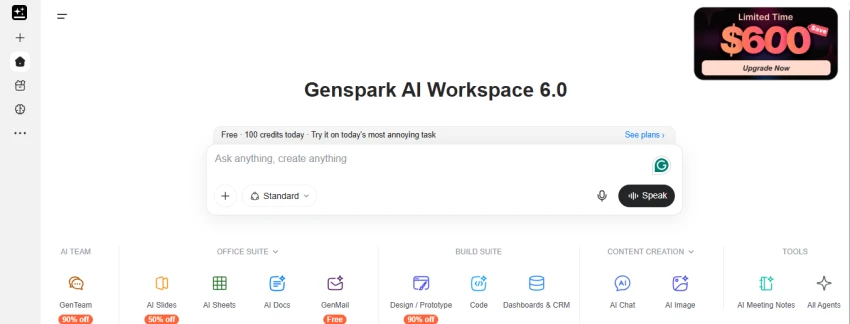
Be the firstStep 1: Open Genspark AI Workspace
Open Genspark AI Workspace 6.0. The homepage provides access to different tools such as AI Slides, AI Sheets, AI Docs, AI Chat, AI Image, and other workspace features.
Step 2: Enter a task in the prompt box
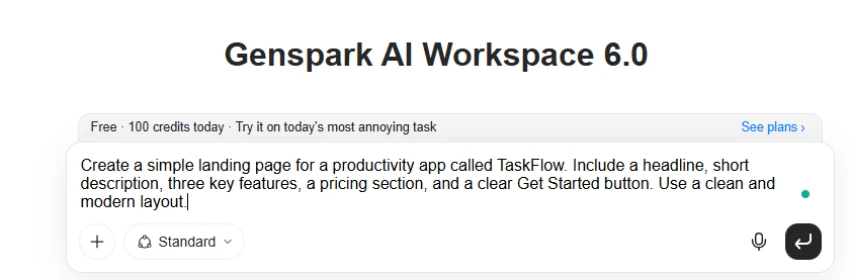
Use the main prompt box to enter the task. For testing, the following prompt was used: “Create a simple landing page for a productivity app called TaskFlow. Include a headline, short description, three key features, a pricing section, and a clear Get Started button. Use a clean and modern layout.”
Step 3: Let Genspark generate the result
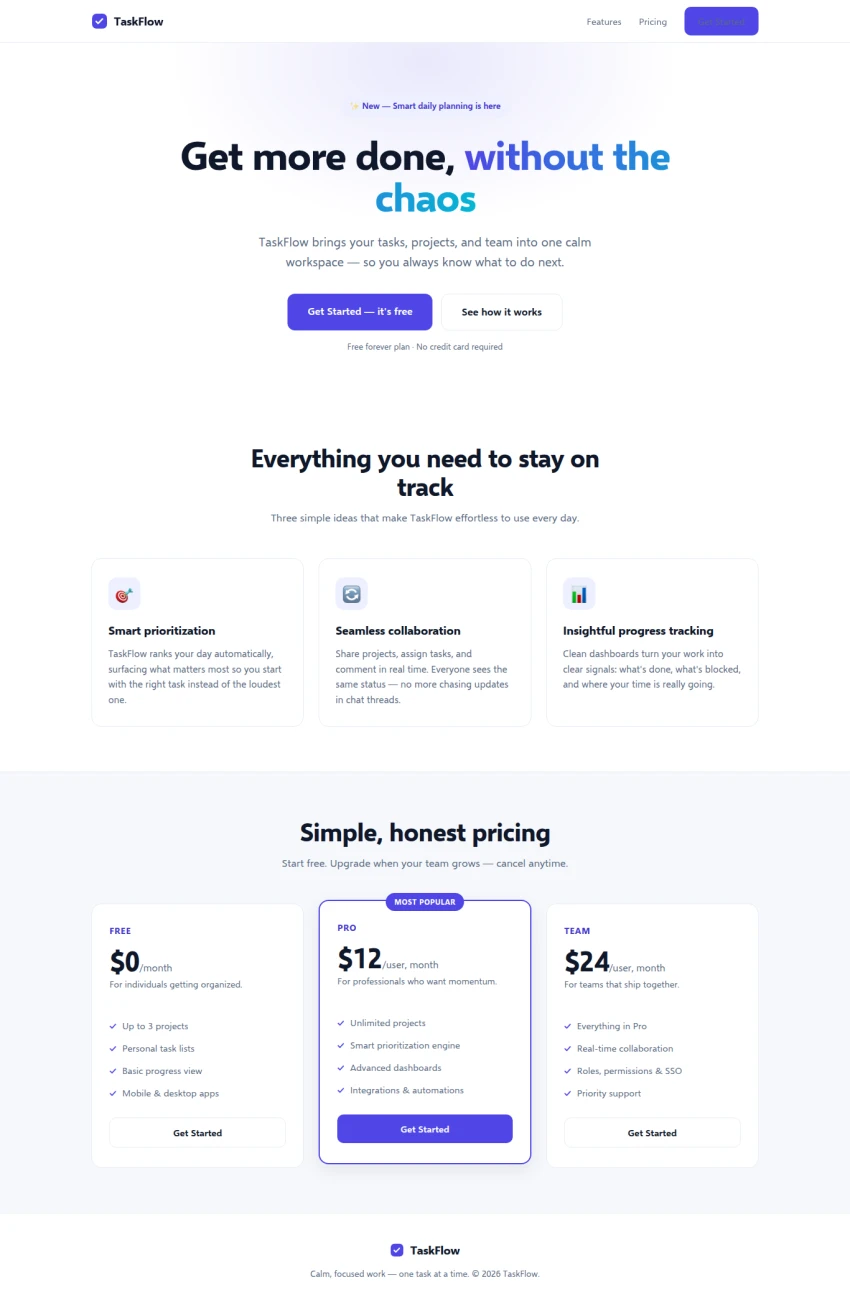
Submit the prompt and allow Genspark to process the request. It generates the requested landing page structure with a headline, description, feature section, pricing plans, and a Get Started button.
Step 4: Review the generated landing page
The final output can be reviewed to check the layout, feature cards, pricing section, navigation bar, and overall design. The generated page includes three pricing plans: Free, Pro, and Team.
Step 5: Check the generated content and layout
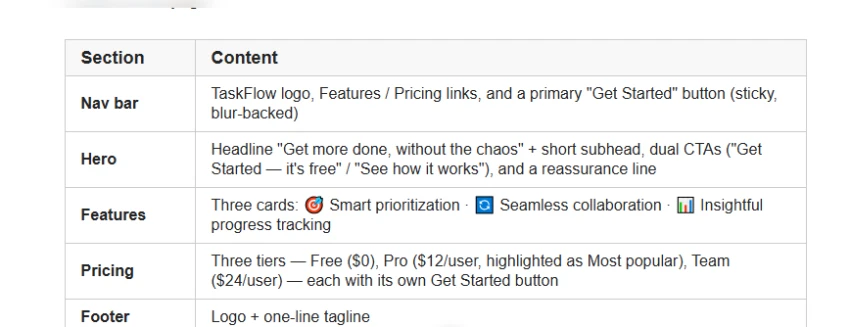
Review the generated sections to see whether they match the original instructions. The result includes the requested productivity-focused content and a clean landing-page layout.
Creates full webpages from one prompt.
Includes tools like Slides, Sheets, and Docs.
Handles multi-step tasks with Super Agent.
Lets you refine results with follow-up prompts.
Complex tasks can use many credits.
Regenerating results uses more credits.
Free usage has credit limits.
No reviews yet — be the first to share your experience.
Be the first to share an honest, verified review of Genspark AI.
Other tools in the same category worth a look.

Question Answering & Homework Helper
Be the first to review
Private AI for Unlimited Creative Freedom
Be the first to review
Build AI agents for work
Be the first to review
The Agentic Dialog Platform
Be the first to review
AI Agent Workspace for Research, Writing, Creation & Productivity
Be the first to review
Durable execution platform for reliable workflows and AI agents.
Be the first to review
Deterministic AI platform for enterprise process automation.
Be the first to review
No-code platform for building AI agents, workflows, and applications.
Be the first to review