No reviews yet
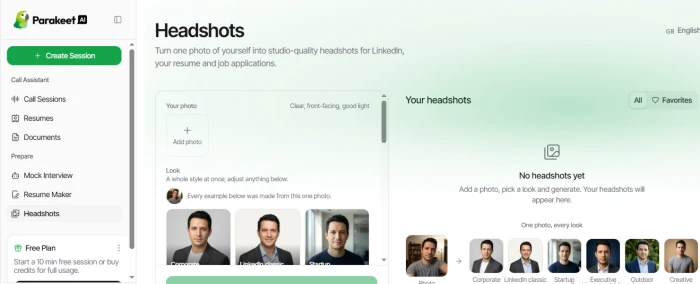
Be the firstStep 1: Explore the Headshots feature. The Headshots section allows users to upload a photo and create professional-looking headshots in different styles. Available looks include Corporate, LinkedIn Classic, Startup, Executive, Outdoor, and Creative.
Testing step:
Upload a clear, front-facing photo and select a preferred headshot style to generate a professional profile image.
Step 2: Review Call Sessions
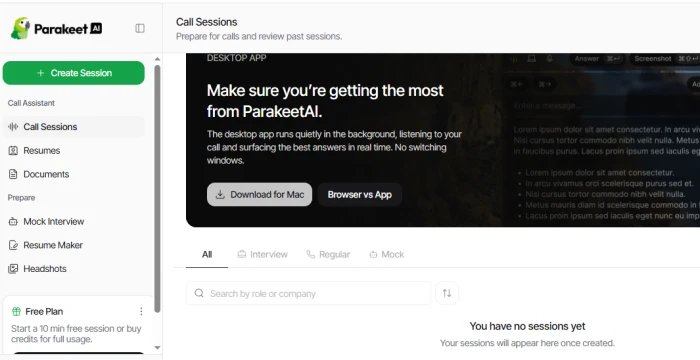
The Call Sessions section provides a workspace for preparing and reviewing interview or call sessions. It also offers a desktop app that can run in the background and provide answers during calls.
Testing step:
Open Call Sessions to review available session types and explore the options for preparing or managing interview calls.
Step 3: Add a Resume
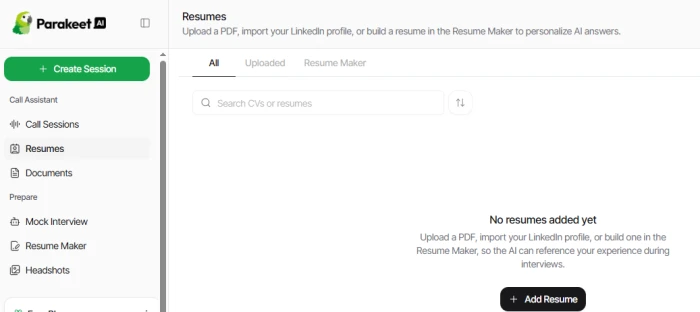
The Resumes section allows users to upload a PDF resume, import a LinkedIn profile, or create a resume using Resume Maker. The uploaded resume can then be used as a reference during interviews.
Testing step:
Add a resume through the upload option so the tool can use the candidate's experience and qualifications during interview preparation.
Step 4: Create a Mock Interview
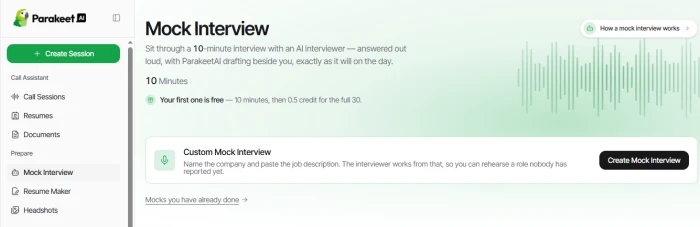
The Mock Interview section provides a 10-minute interview practice session with an AI interviewer. Users can also create a custom interview based on a specific company and job description.
Testing step:
Select Create Mock Interview and provide the relevant job description. The interview can then be used to practice questions based on the target role.
Step 5: Review the available interview practice
The Mock Interview page also shows previously completed mock interviews, making it possible to return to earlier practice sessions and review them.
Can reference your resume, job description, or other uploaded documents during a call.
Provides live coding guidance when technical questions come up.
Automatically creates notes with questions and next steps after calls.
Works through a browser or desktop app without switching between windows.
Live sessions require desktop Chrome or the desktop app.
It listens to the call audio continuously during a session.
Free access is limited, with longer calls requiring credits or a subscription.
No reviews yet — be the first to share your experience.
Be the first to share an honest, verified review of Parakeet ai.
Other tools in the same category worth a look.

Your All-in-One AI Learning Assistant. Summarize, Learn, Create, and E...
Be the first to review
What can I do for you today?
Be the first to review
Master your interview skills with AI-powered mock interviews.
Be the first to review
Amazon Promo Codes & Daily Deals: Save 20-80% Now
Be the first to review
From questioning to understanding
Be the first to review
AI Reverse Image Search with lenso.ai
Be the first to review
All-in-one AI assistant for research, writing, coding, analysis, and c...
Be the first to review
AI-powered research platform for searching, reading, analyzing, and un...
Be the first to review