Scan a math problem and learn how to solve it step by step.

No reviews yet

Be the first
Overview

What is Photomath?

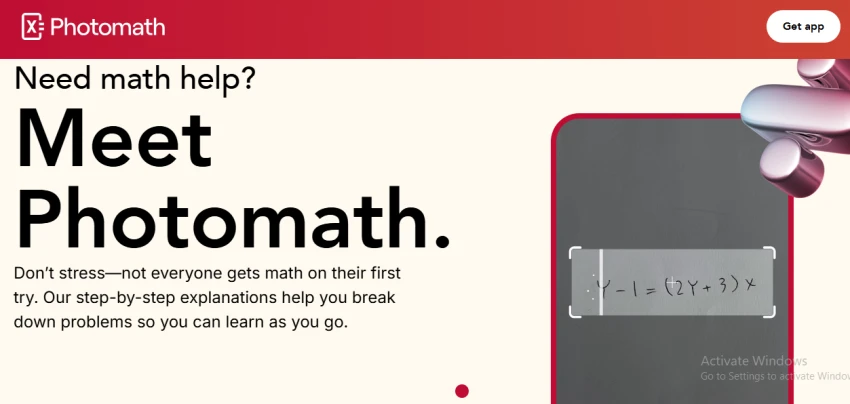
Photomath provides step-by-step help for math problems by combining camera input and a built-in smart calculator. The homepage emphasizes scanning printed or handwritten problems, including word problems, to instantly see worked solutions rather than just final answers. The app positions itself around making math understandable one step at a time, highlighting clear explanations and structured solution paths. Problems can be entered by scanning or typing, focusing on arithmetic through more advanced topics, with explanations designed to unpack each step of the process. A premium tier, Photomath Plus, extends this approach with richer, deeper explanations and additional learning resources as described on official and support materials.
Capabilities

Photomath features

Scan printed or handwritten math problems with the camera to get step-by-step explanations and answers.
Handle even word problems by scanning them directly into the app.
Use a smart calculator to manually input problems when scanning is not convenient.
Provide structured, step-by-step solution paths that aim to explain the reasoning, not just the final result.
Offer additional, more in-depth learning content and explanations through the Photomath Plus subscription tier.
Deep dive

More about Photomath

FEATURES

  • Camera Scanner: Scan a math problem using the phone camera.
  • Smart Calculator: Enter equations and problems manually.
  • Step-by-Step Solutions: Breaks the solution into individual steps.
  • Multiple Methods: Shows alternative solving methods when available.
  • Word Problems: Provides step-by-step help with supported word problems.
  • Interactive Graphs: Visualize mathematical functions and solutions.
  • Animated Tutorials: Premium feature that visually explains selected concepts.

USE CASES

  • Solving homework problems.
  • Checking completed homework.
  • Understanding difficult math steps.
  • Preparing for math exams.
  • Learning algebra and calculus.
  • Practicing geometry and trigonometry.
  • Understanding word problems.

HOW TO GET STARTED

  1. Download the Photomath app on your smartphone or tablet.
  2. Open the camera scanner.
  3. Point the camera at the math problem.
  4. Adjust the scanning area if needed.
  5. Review the detected equation.
  6. View the solution and step-by-step explanation.
  7. Explore alternative methods or graphs when available.
  8. Use the explanation to solve similar problems yourself.

DOS AND DONT

Do

  • Scan one clear problem at a time.
  • Make sure handwritten problems are readable.
  • Review every solving step instead of only copying the answer.
  • Try solving a similar problem yourself afterward.
  • Use graphs and alternative methods to understand the concept.

Don't

  • Rely only on the final answer.
  • Assume every scanned problem will be recognized correctly.
  • Submit an AI-generated solution without understanding the work.
  • Use blurry or incomplete photos when scanning problems.
The verdict

Pros & cons

Pros

Scans printed and handwritten math problems.

Provides step-by-step explanations rather than only the final answer.

Supports a wide range of math subjects.

Can handle word problems.

Offers multiple solution methods for some problems.

Includes interactive graphs.

Cons

Poor-quality or unclear handwriting can cause recognition errors.

Some advanced explanations and learning features require Photomath Plus.

AI/app solutions should still be checked for unusual or complex problems.

★ Verified reviews

Photomath reviews

No reviews yet — be the first to share your experience.

No reviews yet

Be the first to share an honest, verified review of Photomath.

~ Compare

Photomath alternatives

Other tools in the same category worth a look.

See full category