No reviews yet
Be the firstStep 1: Open the Website Reputation Checker
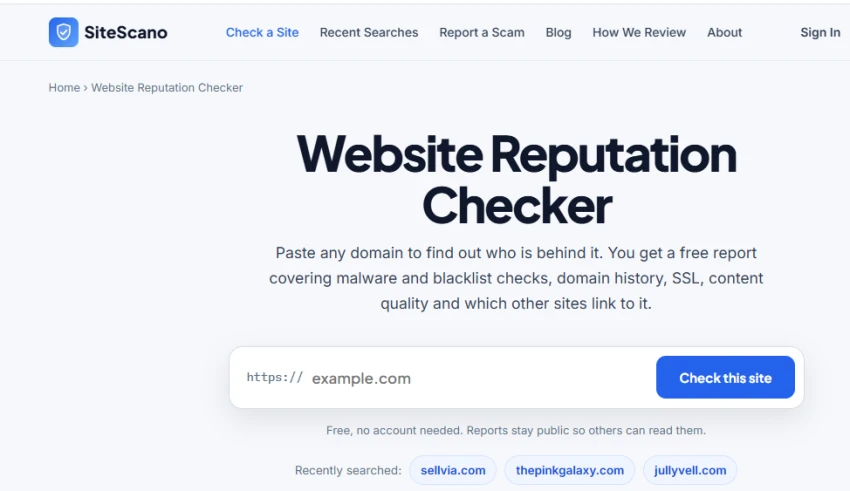
The Website Reputation Checker provides a field to enter any domain and review its security and reputation details. Enter a website domain in the search field and select Check this site to start the reputation scan.
Step 2: Enter a Website for Scanning
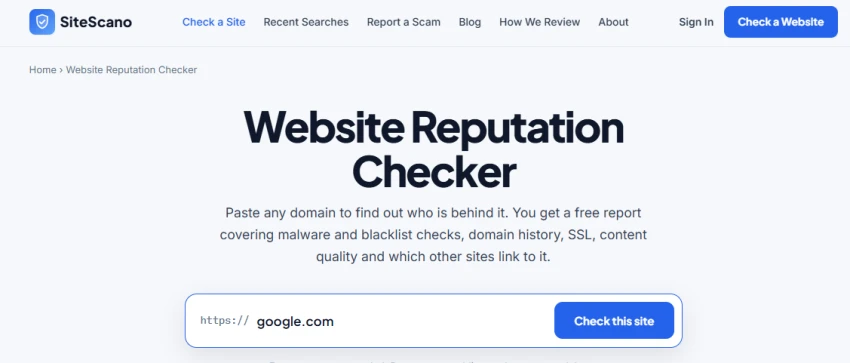
For testing, google.com was entered into the website field. Enter google.com in the URL field and start the website check to generate its reputation report.
Step 3: Review the Trust Score
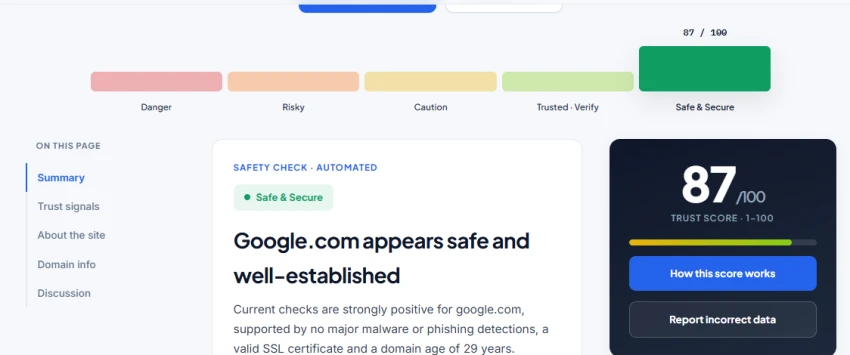
The generated report displays an overall trust score along with a summary of the website's security status. The test result displayed a 87/100 trust score for Google.com. Review the trust score and summary to understand the overall security assessment provided for the scanned domain.
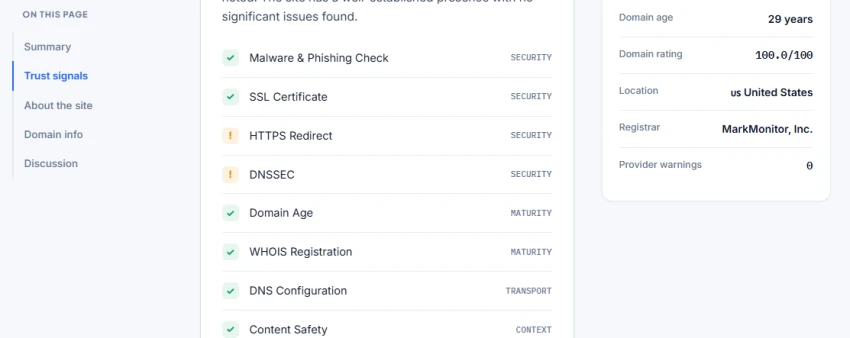
The Trust Signals section breaks the report into individual checks, including malware and phishing, SSL certificate, HTTPS redirect, DNSSEC, domain age, WHOIS registration, DNS configuration, and content safety. Review each security signal to identify which checks passed and which areas require attention.
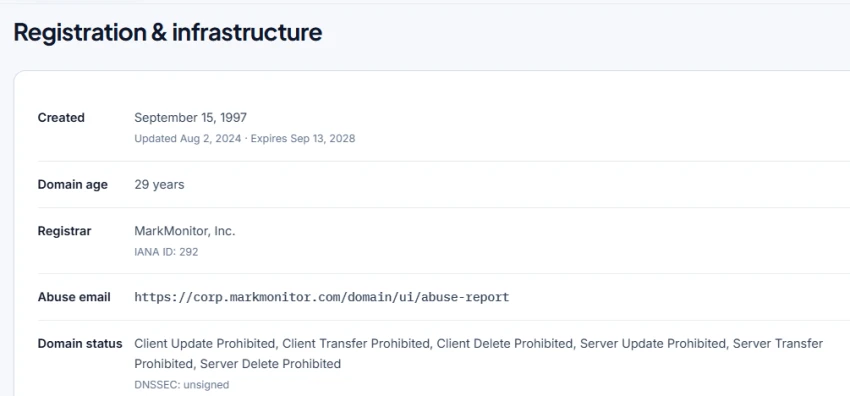
Step 5: Review Registration and Infrastructure Details
The Registration & infrastructure section provides domain information such as creation date, domain age, registrar, domain status, and DNSSEC status. Review the registration and infrastructure information to understand the domain's history and technical details.
Shows a single trust score to quickly understand a website’s reputation.
Checks malware and phishing signals before visiting an unfamiliar site.
Displays domain age and registration details in the report.
Shows registrar, DNSSEC, DNS configuration, and domain status details.
Keeps the scan simple without requiring an account.
Some checks can show warning statuses even when the overall site is marked safe.
The report may require reviewing several sections to understand the full result.
Trust scores alone do not explain every reason behind a website’s reputation.
No reviews yet — be the first to share your experience.
Be the first to share an honest, verified review of SiteScano.