No reviews yet
Be the firstStep 1: Open Supawork AI. Opened the Supawork AI website and reviewed the available AI tools.
Step 2: Open Image to Video. Opened the Image to Video tool.
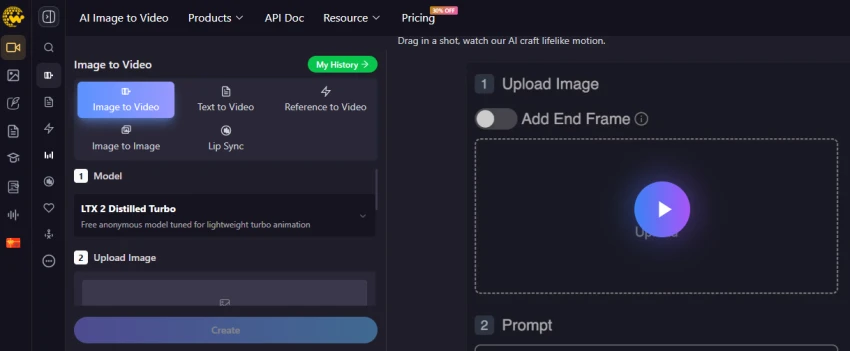
Step 3: Upload an Image. Uploaded an image of a person to use as the source image for video generation.
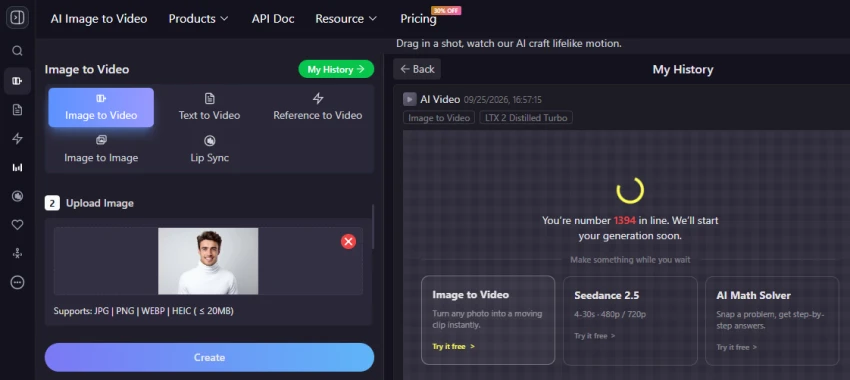
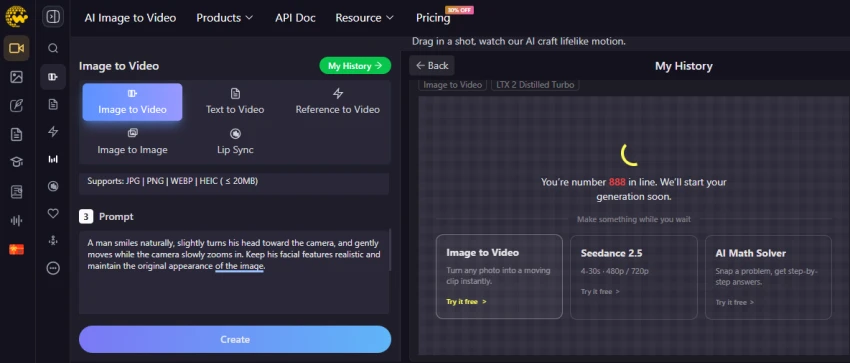
Step 4: Add a Video Prompt. Moved to the Prompt section to describe the movement that should be generated from the uploaded image. The video generation took too long to produce the output. The task remained in the generation queue, showing “We’re number 1394 in line. We’ll start your generation soon.”
Offers multiple creative tools in one platform, reducing the need to switch between different content creation tools.
Supports quick creation of visual assets such as images, videos, and avatars for digital campaigns.
Useful for creating different content variations from a single idea or prompt.
Helps users create social media visuals without requiring advanced editing skills.
Some advanced creation features may be limited by credits or subscription plans.
Results can vary depending on the complexity of the prompt and the type of visual being created.
Users looking for detailed manual editing controls may find it less flexible than dedicated professional editing software.
No reviews yet — be the first to share your experience.
Be the first to share an honest, verified review of Supawork AI.
Other tools in the same category worth a look.

Welcome 6 frosting.ai
Be the first to review
Free AI Image Creator Online, create unlimited AI images online in 2 s...
Be the first to review
Yours To Create
Be the first to review
Remaker AI - The Easiest Way to Recreate Any Image
Be the first to review
Create content that reflects your ideas.
Be the first to review
Stylar is your virtual dressing room
Be the first to review
Discover and Create AI Art
Be the first to review
Discover and Create AI Art
Be the first to review