No reviews yet
Be the firstStep 1: Explore the featured characters
Open Candy AI and explore the featured character section. The platform displays different virtual characters with options to browse by categories and preferences. Browse the available characters and select a character profile to explore its available interaction options.
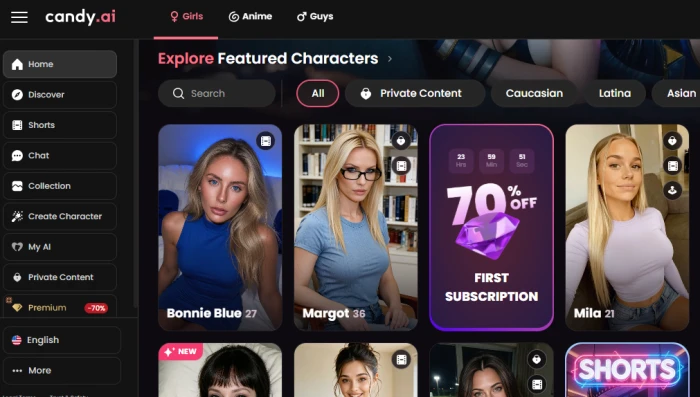
Step 2: Start a conversation with a character. Open a character's chat interface to start a conversation. The chat area supports text interaction, while additional options are available for media and calls.
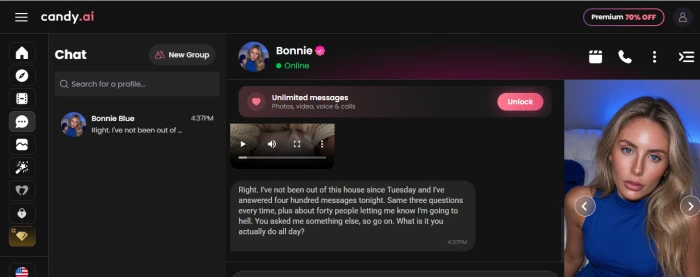
Enter a simple conversational message and review the character's response. The interface also provides options for images, voice, and calls.
Step 3: Explore AI Shorts. Open the Shorts section to browse short-form character stories and episodes. Different categories are available for filtering the content.
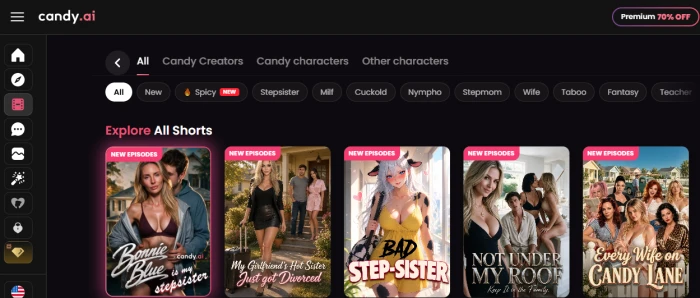
Browse the available Shorts and select an episode to explore the character-based short-form content.
Step 4: Create a custom AI character
Open Create Character to start building a personalized character. Candy AI provides different character styles, including Realistic and Anime.
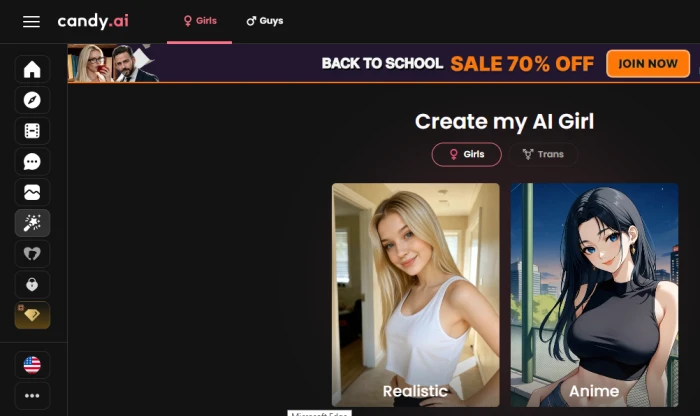
Select a preferred character style, such as Realistic or Anime, and continue to the character customization options.
Step 5: Create a personal AI
Open My AI to manage personalized characters. The page provides a Create new AI option for starting a new custom character.
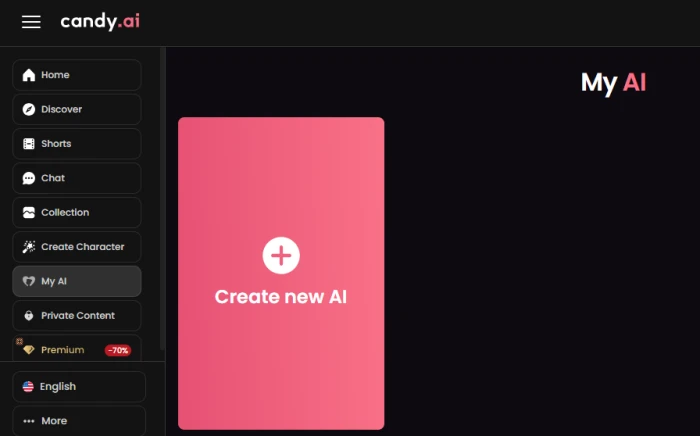
Select Create new AI and proceed with the available customization settings to build a personalized AI character.
Lets you customize your companion’s look and personality.
Supports both text and voice conversations.
Offers image and video interactions.
Provides different companion styles to explore.
Some features may require a paid plan.
Generated responses can sometimes feel repetitive.
No reviews yet — be the first to share your experience.
Be the first to share an honest, verified review of Candy AI.
Other tools in the same category worth a look.

AI companion with memory, personality, and emotionally engaging conver...
Be the first to review
Create and Chat With Your Personalized AI Companion
Be the first to review
AI roleplay and companion platform for interactive character chats, im...
Be the first to review
AI companion platform for personalized conversations, characters, imag...
Be the first to review
Your Caring Uncensored AI Companion
Be the first to review
Chat with AI Characters and Create Personalized Roleplay Experiences.
Be the first to review
Chat with Your Favorite Characters and Create Personalized AI Companio...
Be the first to review
Create AI Images, Videos, and Virtual Characters from Your Ideas.
Be the first to review