No reviews yet
Be the firstStep 1: Select an AI character
Choose an available character such as Ella to open the character chat interface.
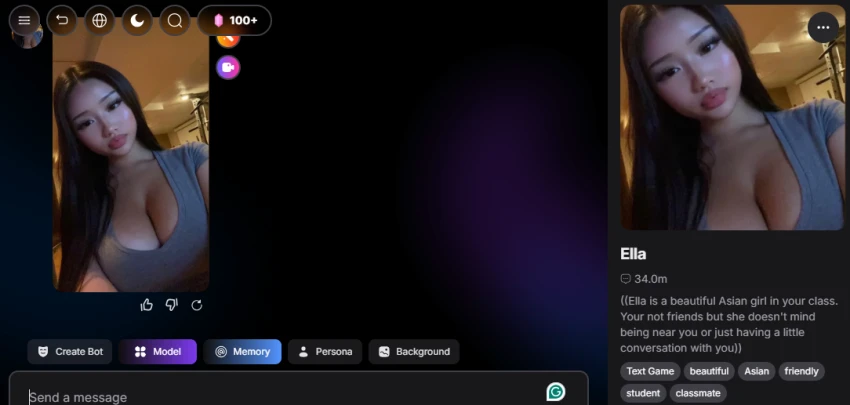
Step 2: Review the character profile
Check the character's image, description, tags, and available interaction options.
Step 3: Start a conversation
Enter a simple message such as “Hi” and send it to the selected character.
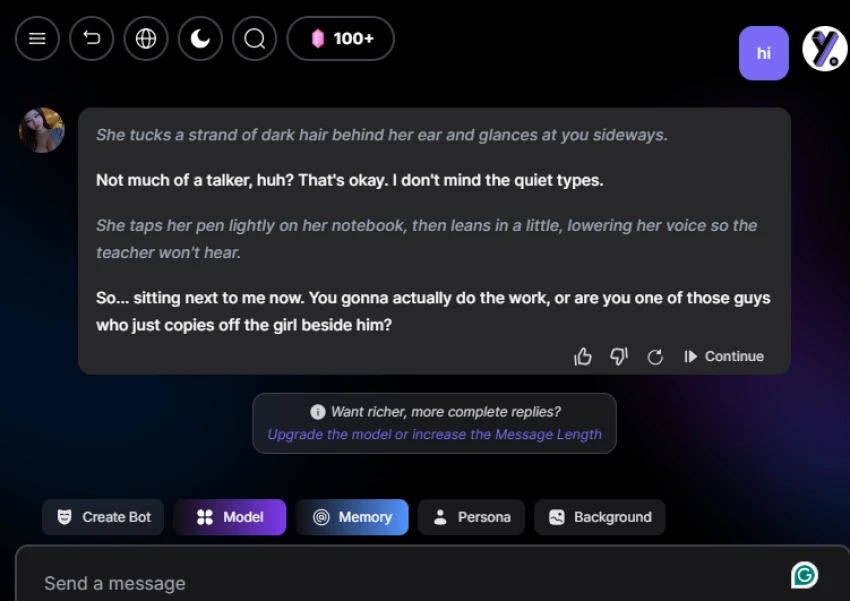
Step 4: Review the AI response
Check how the character responds and whether the reply follows the character's personality and conversation context.
Step 5: Check the Model option
Open Model to view the available AI models and test whether changing the model affects the response style or quality.
| Plan | Price |
|---|---|
| Free | $0 |
Large library of 200,000+ characters.
Offers chat, image, and video generation in one place.
Persona and memory features support longer roleplay sessions.
Multiple AI models are available for conversations.
The platform is primarily focused on character interaction and entertainment.
Image and video features are less focused on professional design workflows.
The large character library can make finding a specific character difficult.
No reviews yet — be the first to share your experience.
Be the first to share an honest, verified review of Yollo AI.
Other tools in the same category worth a look.

AI companion with memory, personality, and emotionally engaging conver...
Be the first to review
Personalized AI Companions for Chat, Voice, Images, and Video.
Be the first to review
Create and Chat With Your Personalized AI Companion
Be the first to review
AI companion platform for personalized conversations, characters, imag...
Be the first to review
Your Caring Uncensored AI Companion
Be the first to review
Chat with AI Characters and Create Personalized Roleplay Experiences.
Be the first to review
Chat with Your Favorite Characters and Create Personalized AI Companio...
Be the first to review
Create AI Images, Videos, and Virtual Characters from Your Ideas.
Be the first to review