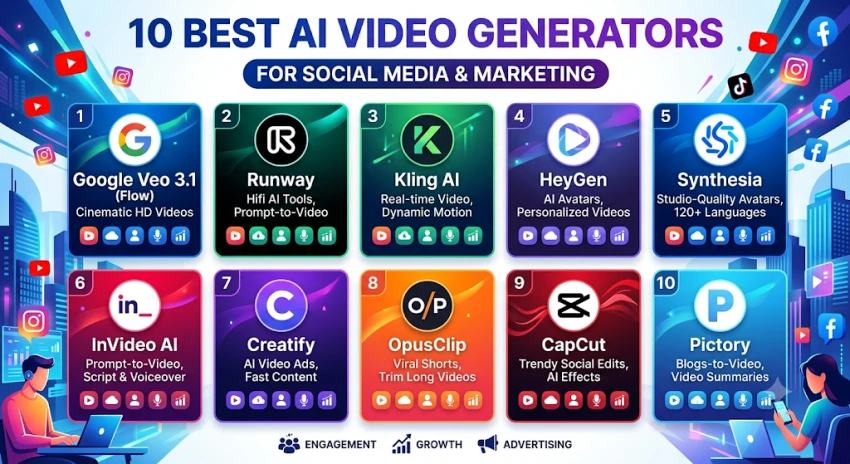
Use Google Veo 3.1 for scroll-stopping clips with sound, Kling for the best quality per dollar, HeyGen for talking-avatar videos, Creatify for product ads, and OpusClip for turning long videos into Shorts and Reels. All prices are in US dollars and reflect each tool's latest published plans as of October 16, 2026.
Short vertical video is now the main format on TikTok, Instagram Reels, YouTube Shorts, and even LinkedIn. Most brands know what to post. The hard part is the time and money it takes to film, edit, and resize every clip.
AI video tools solve that problem in four different ways.
The ten tools below were chosen for three things that matter to social media teams, namely output quality, social-ready features (vertical 9x16 format, captions, direct posting), and the real monthly cost once credits are counted.
Sora is not on this list. OpenAI closed the Sora app on April 26, 2026, and switched off the Sora API on September 24, 2026. It is no longer an option for new campaigns, so don't build a workflow around it.
Nine of the ten tools let you start free, and you can get going on a paid plan for under $30 a month with all but one.
| # | Tool | Best for | Free option | Entry paid plan (monthly billing) | Top self-serve plan |
|---|---|---|---|---|---|
| 1 | Google Veo 3.1 (Flow) | Cinematic clips with built-in sound | 50 Flow credits a day | $19.99 Google AI Pro (1,000 credits) | $199.99 Ultra (25,000 credits) |
| 2 | Runway | Creative control and editing real footage | 125 one-time credits | $15 Standard (625 credits) | $95 Max (9,500 credits) |
| 3 | Kling AI | Best quality per dollar | 66 credits a day | $8.80 Standard ($6.99 first month) | $159.99 Ultra |
| 4 | HeyGen | Talking avatars and video translation | 3 videos a month | $29 Creator (600 credits) | $149 Business + $20 per seat |
| 5 | Synthesia | Polished corporate presenter videos | Yes, watermarked | $29 Starter (about 10 min a month) | $89 Creator (about 30 min) |
| 6 | InVideo AI | Prompt to finished social video | Limited | $20 Starter (400 credits) | $150 Max (5,000 credits) |
| 7 | Creatify | Product ads from a URL | 10 credits a month | $39 Starter (100 credits) | $99+ Pro |
| 8 | OpusClip | Long video to viral clips | 60 minutes a month | $15 Starter (150 min) | $29 Pro (300 min) |
| 9 | CapCut | Editing and AI effects for TikTok | Yes | $19.99 Pro (1,200 AI credits) | $79 Ultra |
| 10 | Pictory | Blogs and scripts to video | 14-day trial only | $29 Starter (200 video min) | $199 Team |
Google also sells a $4.99 Google AI Plus plan with 200 Flow credits, which is enough to test Veo but not to run a content calendar.
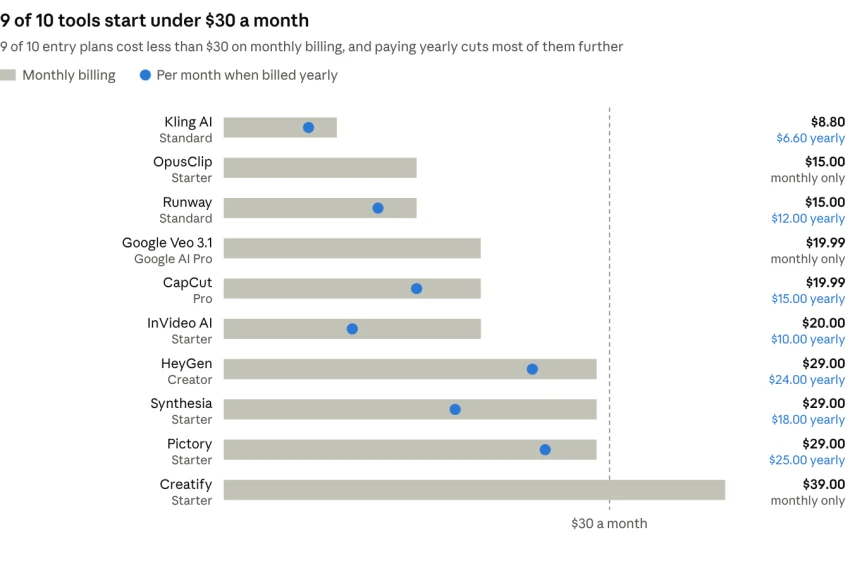
Kling is the cheapest way in at $8.80 a month, and Creatify is the only tool whose entry plan costs more than $30. "Monthly only" means the plan has no published yearly price. Google, OpusClip Starter and Creatify fall in that group.
Veo 3.1 is Google's video model, and you use it inside the Gemini app or in Google Flow, a simple filmmaking workspace. Type a prompt like "a barista pours latte art, slow motion, warm morning light" and you get a short clip with matching sound already built in. Updates added native 9x16 vertical video, 4K output and better character consistency, which is exactly what Reels and Shorts need.
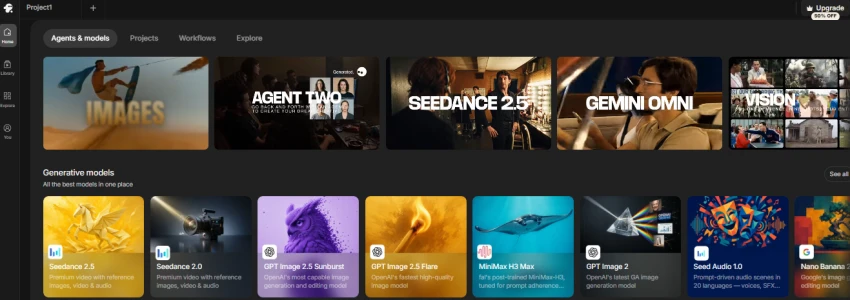
Flow uses credits. A Veo 3.1 clip costs 10 credits on Lite, 20 on Fast and 100 on Quality, and Ultra members pay half on Lite and Fast. Everyone also gets 50 free Flow credits a day.
| Plan | Price per month | Flow credits | Roughly how many clips |
|---|---|---|---|
| Google AI Plus | $4.99 | 200 | 20 Lite or 2 Quality |
| Google AI Pro | $19.99 | 1,000 | 100 Lite, 50 Fast or 10 Quality |
| Google AI Ultra | $99.99 | 10,000 | 2,000 Lite, 1,000 Fast or 100 Quality |
| Google AI Ultra (top) | $199.99 | 25,000 | 5,000 Lite, 2,500 Fast or 250 Quality |
Developers can skip the plans and pay per second through the Gemini API. It costs about $0.40 a second for Veo 3.1, from $0.10 for Fast and from $0.05 for Lite.
What we like. Realistic motion, dialogue and sound effects in one step, a vertical format, and it comes bundled with Gemini and Google storage.
What to watch. Clips are about 8 seconds, so longer ads must be stitched together. Quality mode also burns credits fast.
Who it suits. Brands that want eye-catching hooks and B-roll without a camera crew.
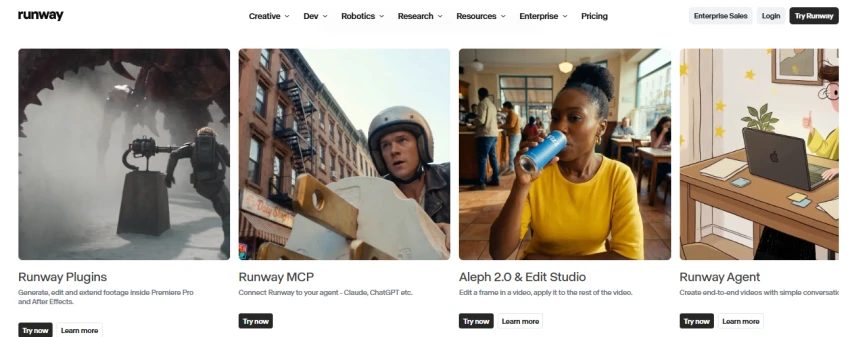
Runway is the favourite of video editors and creative agencies. Its Gen-4.5 model creates new shots, while its Aleph tool can restyle footage you already filmed, for example turning a daytime product shot into a neon night scene. Paid plans also give access to other models such as Veo and Kling from one workspace.
| Plan | Monthly | Billed yearly | Credits per month |
|---|---|---|---|
| Free | $0 | $0 | 125 (one time) |
| Standard | $15 | $12 | 625 |
| Pro | $35 | $28 | 2,250 |
| Max | $95 | $76 | 9,500 |
Gen-4.5 costs 25 credits per second, so Standard covers about 25 seconds of top-quality video a month, while the cheaper Gen-4 Turbo model costs 5 credits per second. Runway retired its old Unlimited plan in 2026, and legacy users are being moved to Max by November 30, 2026.
What we like. The deepest creative controls, editing of real footage, many models in one place and team seats.
What to watch. Credits run out quickly on the flagship model, and Standard is better for testing than for daily posting.
Who it suits. Agencies and creative teams that mix real footage with AI shots.
Kling, made by Chinese short-video company Kuaishou, produces very realistic people and motion at a fraction of Western prices. Kling 3.0 adds native audio, and Kling 4.0 is in early access on the top plan. It is a strong pick for UGC-style product clips and trend content.
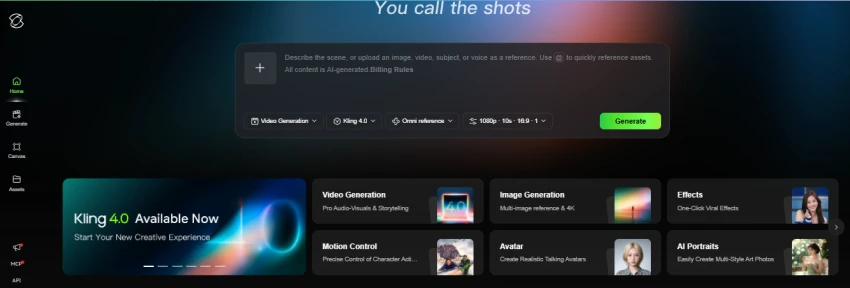
| Plan | First month | Monthly after | Credits per month |
|---|---|---|---|
| Free (Basic) | $0 | $0 | 66 per day |
| Standard | $6.99 | $8.80 | 660 |
| Pro | $25.99 | $32.56 | 3,000 |
| Premier | $64.99 | $80.96 | 8,000 |
| Ultra | $127.99 | $159.99 | 26,000 |
A 5-second 1080p Kling 3.0 clip with audio works out to about $0.80 on Standard and $0.65 on Pro. Yearly billing takes about 34% off Standard, Pro and Premier.
What we like. The lowest cost per clip on this list, lifelike human motion and generous free daily credits.
What to watch. Free videos are watermarked and not licensed for commercial use, and the low first-month price rises on renewal.
Who it suits. Small businesses and creators who need lots of realistic clips on a tight budget.
HeyGen lets you create a video with a realistic AI presenter, or a digital twin of yourself, without turning on a camera. Paste a script, pick an avatar and voice, and export. Its translation feature re-voices and lip-syncs a video into 175+ languages, which makes it easy to run the same ad in many markets.
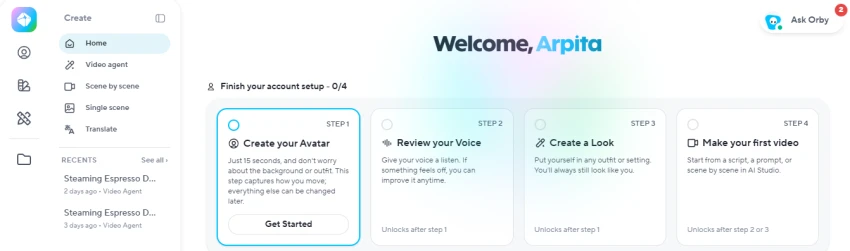
| Plan | Monthly | Credits | Key limits |
|---|---|---|---|
| Free | $0 | 3 videos a month | 1 minute each, watermark |
| Creator | $29 ($24 yearly) | 600 | Videos up to 30 min, 1080p, voice cloning |
| Pro | From $49 | From 1,000 | 4K export, scalable credit tiers |
| Business | $149 + $20 per extra seat | 1,500 shared | Team workspace, custom avatars, SSO |
Watch the credit rules. Creator users cannot buy extra credits and must upgrade when they run out, while Business can top up at $5 per 100 credits.
What we like. Very natural avatars, fast multilingual versions and strong value on Creator.
What to watch. The newest avatar models use credits faster, and custom visual avatars need Business.
Who it suits. Founders, coaches and brands that want a face on camera every day without filming.
Synthesia is the most corporate-friendly avatar tool. It is used heavily for product explainers, onboarding and internal communications, with brand kits, AI dubbing and strong security controls. For social media, it works best on LinkedIn and YouTube rather than trend-driven TikTok content.
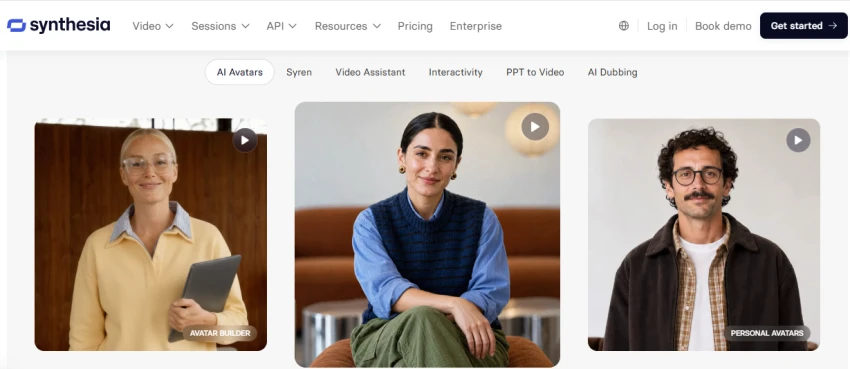
| Plan | Monthly | Billed yearly | Video per month |
|---|---|---|---|
| Basic (free) | $0 | $0 | Short watermarked tests |
| Starter | $29 | $18 | About 10 min, 125+ avatars |
| Creator | $89 | $64 | About 30 min, 180+ avatars, 5 personal avatars, API |
| Enterprise | Custom | Custom | Unlimited minutes, SSO, SCORM |
Synthesia charges per editor seat, so each teammate who makes videos needs their own plan. Minutes do not roll over.
What we like. A professional look, excellent results on B2B and LinkedIn, and enterprise-grade security.
What to watch. Minute caps are tight, and the jump from 10 to 30 minutes triples the price.
Who it suits. B2B marketing, HR and training teams.
InVideo AI writes the script, picks visuals, adds a voiceover and captions, and gives you an editable video from a single prompt like "a 30-second Instagram Reel announcing our summer sale". Its agent can call top models such as Veo, Kling and Seedance for each shot, so you get generated footage, stock and a full timeline editor in one place.
| Plan | Monthly | Billed yearly (per month) | Credits per month |
|---|---|---|---|
| Free | $0 | $0 | Small weekly allowance |
| Starter | $20 | $10 | 400, Seedance 2.0 Fast and Mini only |
| Plus | $60 | $30 | 2,000, all models including Seedance 2.5 |
| Max | $150 | $75 | 5,000 (up to 15,000), lowest cost per credit |
InVideo replaced its old Plus, Max, Generative and Elite lineup in October 2026, so older reviews quote very different prices. The yearly prices above include a 50% discount that InVideo shows as a promotion, and unused monthly credits do not roll over.
What we like. The fastest route from idea to a complete edited video, with many AI models under one subscription.
What to watch. Fully generated scenes eat credits quickly, and Starter cannot use the newest Seedance 2.5 model.
Who it suits. Solo marketers and small teams who need finished videos, not raw clips.
Creatify is built for performance marketing. Paste a product page link and it writes ad scripts, pairs them with AI actors, and produces several UGC-style video ads in minutes. Pro users can batch-generate variations for A/B tests, track competitor ads, and launch ads straight into Meta, TikTok, YouTube, Snap and Amazon ad accounts.
| Plan | Monthly | Credits | Key limits |
|---|---|---|---|
| Free | $0 | 10 | Up to 2 video ads, watermark |
| Starter | $39 | 100 | 300 AI actors, videos up to 2 min, 1 seat |
| Pro | From $99 | 300 to 5,000 | 1,500 AI actors, videos up to 10 min, 5 seats, ad launchers |
| Enterprise | Custom | Custom | Custom |
A standard video ad costs 5 credits per 15 seconds, so a 30-second ad is about $3.90 on Starter and $3.30 on Pro. Note that prices rose in mid-2026, with Starter moving from $33 to $39 and Pro from $49 to $99.
What we like. The quickest way to test many ad angles, with direct publishing to ad platforms.
What to watch. It is made for paid ads, not general editing, and the Starter-to-Pro jump is steep.
Who it suits. E-commerce brands and media buyers running Meta and TikTok ads.
If you already record podcasts, webinars or YouTube videos, OpusClip is the easiest content multiplier. Upload one long video and it finds the strongest moments, reframes them to vertical, adds animated captions, and gives each clip a "virality score" so you know what to post first. Paid plans can post directly to YouTube, TikTok and Instagram.
| Plan | Monthly | Billed yearly | Processing minutes |
|---|---|---|---|
| Free | $0 | $0 | 60 a month, watermark |
| Starter | $15 | Not offered | 150 a month |
| Pro | $29 | $14.50 ($174 a year) | 300 a month, 2 seats |
| Business | Custom | Custom | Custom, API, 4K |
OpusClip charges by the minutes you upload, not the clips you export. A weekly one-hour podcast uses about 240 minutes a month, which fits Pro but not Starter. Pro also adds AI B-roll, a scheduler and export to Premiere Pro.
What we like. One upload becomes a week of posts, and annual Pro is half the monthly price.
What to watch. It only works with footage you already have, and clips still need a quick human check.
Who it suits. Podcasters, coaches and brands with long-form content.
CapCut, from TikTok's parent company ByteDance, is the editor many social creators already use. On top of normal editing it offers auto captions, background removal, voice tools, trending templates and an AI video generator powered by Seedance 2.5. Its tight link with TikTok makes trend content quick to publish.
| Plan | Monthly | Billed yearly | What you get |
|---|---|---|---|
| Free | $0 | $0 | Core editing, basic templates, limited AI |
| Pro | $19.99 | $179.99 (about $15 a month) | 1,200 AI credits a month, up to 1 TB storage, premium assets |
| Ultra | $79 | $900 | 8,645 AI credits a month for heavy generation |
CapCut also sells a cheaper Standard tier and a Teams plan, and prices can vary by country and device, so check in the app before you buy.
What we like. A full editor plus AI tools in one app that works on phone, desktop and web.
What to watch. AI generation is metered by credits even on Pro, and Pro is no longer the bargain it once was.
Who it suits. Creators and social teams who edit and post every day.
Pictory turns written content into video. Paste a blog URL, script or webinar recording, and it builds a captioned video with stock footage from Storyblocks, AI voices from ElevenLabs and your brand kit. It is a simple way to give every blog post a social video version.
| Plan | Monthly | Billed yearly | Video minutes per month |
|---|---|---|---|
| Starter | $29 | $25 | 200, 1 user |
| Professional | $59 | $35 | 600, 1 user, 5 brand kits |
| Team | $199 | $119 | 1,800, 3+ users |
| Enterprise | Custom | Custom | Custom, API |
Pictory has a 14-day free trial but no permanent free plan. Yearly billing saves about 40% on Professional, which makes it only $10 a month more than Starter.
What we like. It is very easy for beginners and great for content marketing and SEO teams.
What to watch. It relies on stock footage, so videos can look generic, and there is no free plan.
Who it suits. Bloggers, content marketers and agencies repurposing written content.
No single tool does everything well, so match the tool to the job. Most teams end up using one generator and one repurposing tool together.
| Marketing job | Best pick | Runner-up | Why |
|---|---|---|---|
| Scroll-stopping hooks and B-roll | Veo 3.1 | Kling | Realistic motion with sound in a single step |
| Product ads for Meta and TikTok | Creatify | InVideo AI | URL-to-ad, batch variations, direct ad launch |
| Talking-head videos without filming | HeyGen | Synthesia | Natural avatars, digital twin, fast daily output |
| Same ad in many languages | HeyGen | Synthesia | Lip-synced translation into 175+ languages |
| B2B, LinkedIn and training videos | Synthesia | HeyGen | Polished look, brand kits, enterprise security |
| Podcast or webinar to Shorts | OpusClip | CapCut | Auto clip picking, captions, virality score |
| Blog posts to video | Pictory | InVideo AI | Text-to-video with stock footage and AI voices |
| Restyling footage you already shot | Runway | Kling | Aleph edits real video, not just new clips |
| Daily trend edits for TikTok | CapCut | OpusClip | Templates, captions and TikTok publishing |
| Lowest budget | Kling | Veo 3.1 (Plus) | $8.80 a month, or $4.99 for light Veo use |
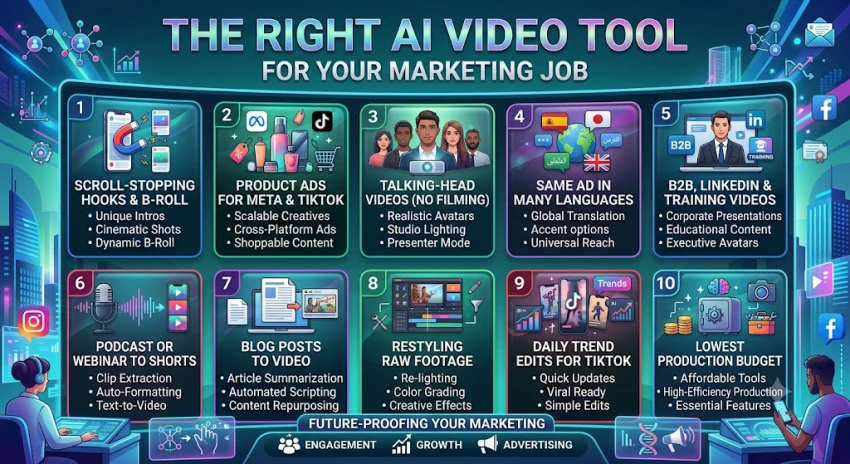
Start with your goal and monthly budget, then build a small "stack" of two or three tools. These three stacks cover most brands, using monthly prices.
| Budget | Who it suits | Stack | Monthly total |
|---|---|---|---|
| Starter | Solo creator or small shop | Kling Standard ($8.80) + OpusClip Starter ($15) | $23.80 |
| Growing brand | Small marketing team posting daily | Google AI Pro ($19.99) + HeyGen Creator ($29) + CapCut Pro ($19.99) | $68.98 |
| Performance and agency | Paid ads and client work | Runway Pro ($35) + Creatify Pro ($99) + HeyGen Pro ($49) + OpusClip Pro ($29) | $212 |
Before you pay, keep these five rules in mind.
Size the plan by credits, not the price tag. Work out how many clips or minutes you need each month, then check how many credits each one uses. A cheap plan that runs out in week one costs you more in upgrades.
Check watermarks and commercial rights. Free plans usually add a watermark, and some, like Kling's free tier, don't allow commercial use at all.
Expect credits to expire. On most of these tools, unused monthly credits disappear at the end of the cycle, so don't overbuy "just in case".
Switch to yearly billing once a tool proves itself. The savings are large, about 50% on OpusClip Pro, 40% on Pictory Professional and 34% on Kling.
Label realistic AI content. TikTok, Instagram and YouTube ask creators to disclose realistic AI-generated video, and honest labels protect your brand's trust.
The best AI video generator depends on the job. Veo 3.1 leads for cinematic clips with sound, Kling wins on price, Runway gives creative teams the most control, HeyGen and Synthesia handle presenter videos, Creatify turns product pages into ads, and OpusClip, CapCut and Pictory help you get more posts out of content you already have.
Start with the free tier of the one or two tools that match your main goal. Track how many credits a real week of posting uses, then pick the plan that covers it. AI video prices changed several times in 2026, so check each pricing page again before you commit.
Related guides and breakdowns from the same category.




Join the conversation
No comments yet
Start the conversation on 10 Best AI Video Generators for Social Media and M....