Most of us lose hours each week to the same handful of chores, like triaging an overflowing inbox, rebuilding a schedule after a meeting moves, chasing information across a dozen tabs, and copying the same updates between apps. AI personal assistants promise to take some of that off your plate. They don’t just answer questions, they draft the reply, book the slot, run the research, and remember what you told them last week. The catch is that many of them quietly become one more app to check. This article compares eight assistants on one question. How much real work can each one actually remove from your day? For every tool we look at what it does, where it falls short, what it costs as of 4 November 2026, and who it genuinely suits. Prices are US rates and exclude tax, and several tools charge differently by region.
| AI Assistant | Best For | Main Capability | Free Plan / Trial | Starting Paid Price |
|---|---|---|---|---|
| ChatGPT | All-round help plus light automation | Conversation, research, Agent mode, custom GPTs | Free plan (ad-supported in some regions) | Go at $8/mo (Plus $20) |
| Google Gemini | Work inside Gmail, Docs and Android | AI across Google Workspace plus Deep Research | Free plan | AI Plus at $4.99/mo (AI Pro $19.99) |
| Claude | Long-document work, writing and coding | Deep reasoning, large context, hand-off tasks | Free plan | Pro at $20/mo |
| Microsoft Copilot | AI inside Microsoft 365 apps | Drafting and summarising in Word, Outlook, Teams | Free consumer app plus Copilot Chat | ~$20/mo individual, $30/user/mo for M365 Copilot |
| Lindy | Autonomous multi-step workflows | No-code AI agents across your apps | 7-day trial, no permanent free plan | Plus at $29.99/user/mo |
| Motion | Automatic scheduling and time-blocking | AI that builds and reshuffles your calendar | 7-day trial (card required), no free plan | Teams from $19/seat/mo (annual), $29/mo solo (annual) |
| Perplexity | Fast, cited research | Answer engine plus Comet browser and agent | Free plan (never expires) | Pro at $20/mo ($10 students) |
| Reclaim AI | Defending focus time on an existing calendar | Auto-scheduling tasks, habits and meetings | Free-forever Lite plan (one user) | Starter at $10/seat/mo (annual) |
ChatGPT from OpenAI is the most widely used general-purpose assistant. You interact through chat on web, desktop, and mobile, by voice, or through a desktop app, and it now goes beyond answering to carrying out multi-step tasks on your behalf.
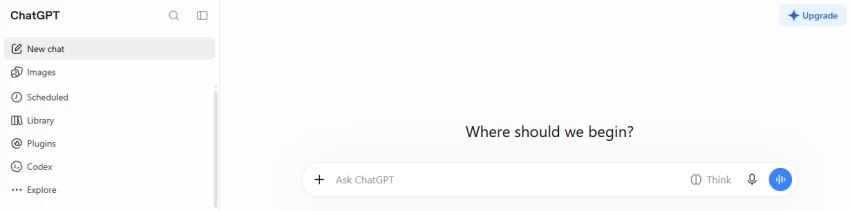
Instead of switching between a search engine, a notes app, and a draft, you can hand ChatGPT a vague task like “summarise these three PDFs and draft a client update” and get a usable result in one pass. Agent mode can fill a form or compile a list from several sites while you do something else, and a scheduled task can deliver a morning summary without you asking each day.
| Plan | Price (4 Nov 2026) | Notes |
|---|---|---|
| Free | $0 | Ad-supported in some regions, caps the best models |
| Go | $8/mo | More volume than Free on a budget |
| Plus | $20/mo | Most individual professionals |
| Pro | $100, $200, or $500/mo | Three usage tiers |
| Business | $20/seat/mo annual ($25 monthly) | Two-seat minimum |
| Enterprise | Custom | Admin controls, data protection |
Official site chatgpt.com.
Gemini is Google’s assistant, and its strongest card is living inside the apps many people already use, such as Gmail, Docs, Sheets, Meet, and Android. You can chat with it directly or call it up within a document or inbox.
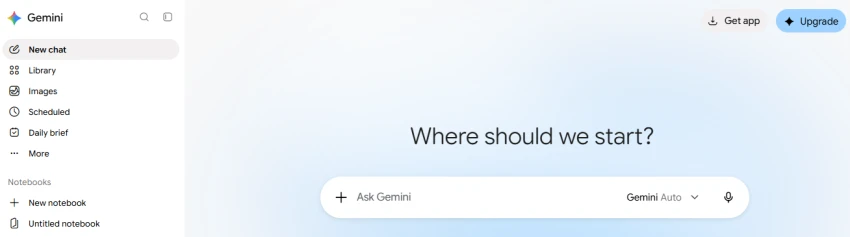
If your work already lives in Google Workspace, Gemini removes the copy-paste step. It drafts a reply from the email thread in front of you, builds a first-draft doc from a prompt, or pulls a summary from a long report, all without leaving the app you are in.
| Plan | Price (4 Nov 2026, US) | Notes |
|---|---|---|
| Free | $0 | Free-tier limits |
| Google AI Plus | $4.99/mo | Entry paid tier, 400 GB storage |
| Google AI Pro | $19.99/mo ($199.99/yr) | Flagship models, 5 TB storage |
| Google AI Ultra | $99.99/mo (5x) or $199.99/mo (20x) | Highest limits and agent features |
Reported price increase takes effect 1 January 2027. Official site gemini.google.com.
Claude, from Anthropic, is a conversational assistant known for careful writing, long-document handling, and coding. You use it on web, desktop, and mobile, and it can take on longer tasks and return finished work such as documents, slides, and analysis.
Claude is strong when the job is to read something and produce a result, like digesting a long contract and flagging risks, turning a transcript into structured notes, or drafting and iterating on a report. For anyone who writes or codes for a living, a better first draft usually means less rework.
| Plan | Price (4 Nov 2026) | Notes |
|---|---|---|
| Free | $0 | Everyday chat with usage limits |
| Pro | $20/mo (about $17/mo billed annually, $200/yr) | Adds Claude Code and hand-off tasks |
| Max | $100/mo (5x Pro) or $200/mo (20x Pro) | Monthly only |
Team and Enterprise plans are also available. Official site claude.ai.
Microsoft Copilot is really several products. A free consumer chat app covers everyday questions, while the paid value sits in Microsoft 365 Copilot, which builds AI directly into Word, Excel, PowerPoint, Outlook, and Teams and grounds it in your organisation’s own data.
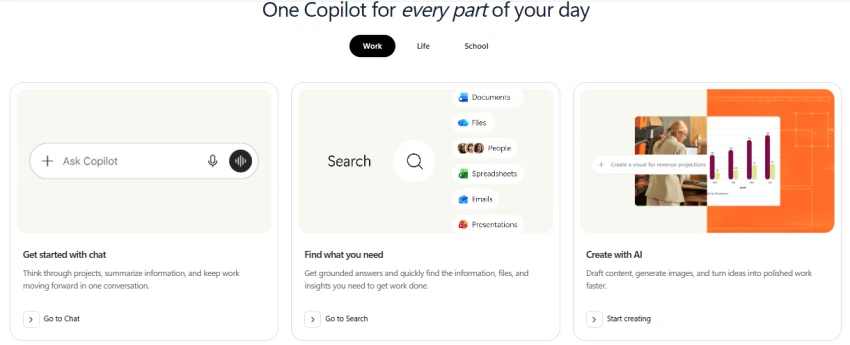
For Microsoft 365 users, the payoff is not leaving the app you are in. Copilot summarises a meeting you missed in Teams, drafts a reply inside Outlook from the thread, or builds a slide deck from a Word document. That summarise-and-draft loop inside familiar apps is where most of the time is recovered.
| Plan | Price (4 Nov 2026) | Notes |
|---|---|---|
| Microsoft Copilot (consumer app) | Free | Everyday web-grounded chat |
| Microsoft 365 Premium (individual) | ~$19.99/mo | Consumer plan that replaced the standalone Copilot Pro |
| Copilot Chat (for M365 users) | Included | No extra per-user cost for many M365 users |
| Microsoft 365 Copilot Business | $21/user/mo annual | $18 through 31 December 2026, up to 300 users |
| Microsoft 365 Copilot (Enterprise add-on) | $30/user/mo annual | Requires a qualifying Microsoft 365 base plan |
Official site copilot.microsoft.com.
Lindy is not a chatbot. It is a no-code platform for building AI agents (called “Lindys”) that run tasks across your apps. You describe a workflow in plain language, connect your tools, and the agent executes when triggered.
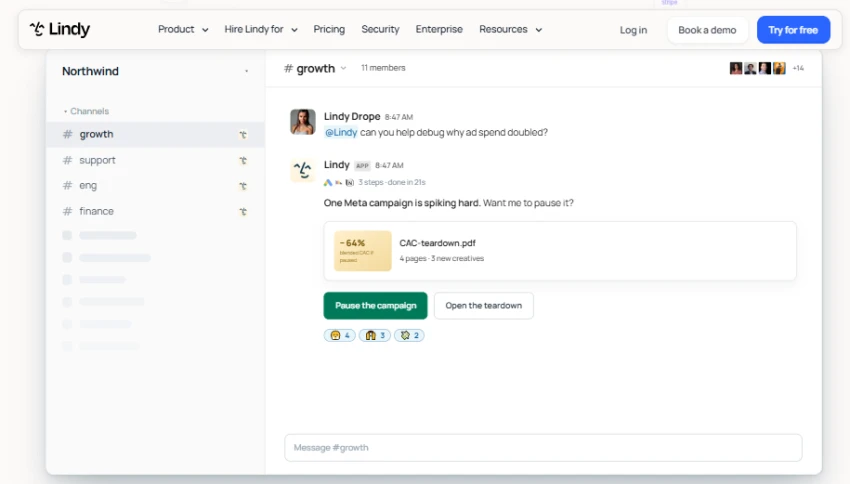
Lindy shines on repetitive, rule-based work you would otherwise do by hand, such as watching an inbox and drafting replies to common requests, logging new leads into a CRM, or sending a follow-up after every call. Unlike simple automation tools, its agents can make decisions and handle multi-step tasks rather than just moving data between apps.
| Plan | Price (4 Nov 2026) | Notes |
|---|---|---|
| Free trial | $0 for 7 days | No permanent free plan |
| Plus | $29.99/user/mo | 3,000 credits |
| Pro | $99.99/user/mo | 15,000 credits |
| Max | $199.99/user/mo | 35,000 credits |
| Enterprise | Custom | Advanced controls |
Top-ups cost $10 per 1,000 extra credits. Official site lindy.ai.
Motion is an AI calendar and task manager. Its distinguishing feature is an auto-scheduler. You add tasks with deadlines, durations, and priorities, Motion places them on your calendar, and it reshuffles them automatically when a meeting appears.
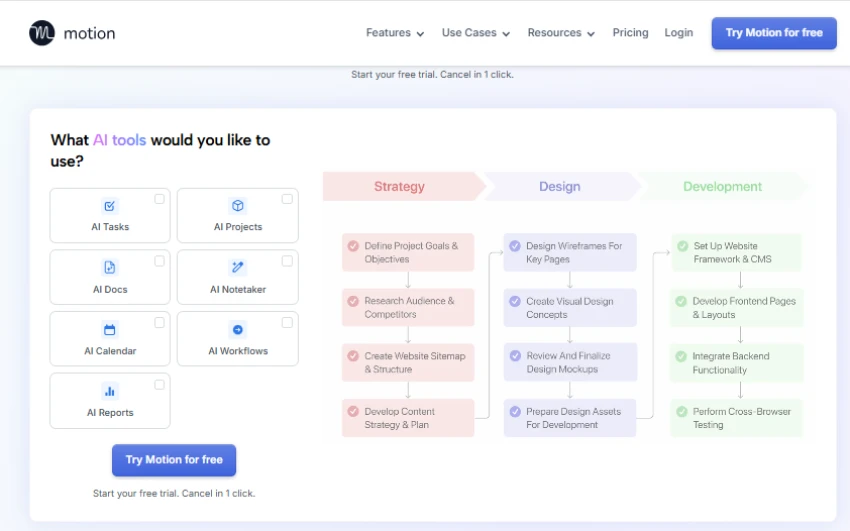
Motion removes the daily act of deciding what to work on and when. It turns a task list into a calendar and keeps rearranging it as meetings appear, while leaving the meetings themselves in place. If your bottleneck is constant replanning, that is the recovered time.
| Plan | Individuals (annual / monthly) | Teams per seat (annual / monthly) | AI credits per seat |
|---|---|---|---|
| Pro AI | $29 / $49 a month | $19 / $29 a month | 7,500/mo |
| Business AI | $39 / $69 a month | $29 / $49 a month | 15,000/mo |
No free plan, only a 7-day trial that needs a card. The pricing page opens on the discounted Teams view, so solo buyers often see a lower number than they will actually pay. Official site usemotion.com.
Perplexity is an answer engine. Ask a question and it replies with a sourced, cited answer rather than a list of links. In 2026 it expanded well beyond search with a free browser and agent features.
Perplexity collapses the research-and-verify loop. It answers questions with inline citations on a model you choose, so you spend less time cross-checking sources. The Comet assistant sits beside every page you visit for quick page questions and cross-tab context, and its agent can act on pages for you.
| Plan | Price (4 Nov 2026) | Notes |
|---|---|---|
| Free | $0 | Never expires, around 5 Pro Searches a day, free Comet browser |
| Pro | $20/mo (about $17 billed yearly) | Model choice, Deep Research, Comet agent |
| Max | $200/mo | Highest limits, background agents |
| Education Pro | $10/mo | Verified students |
| Enterprise Pro | $40/seat/mo | Admin controls |
| Enterprise Max | $325/seat/mo | Heavy enterprise and agent use |
Official site perplexity.ai.
Reclaim, now “Reclaim.ai from Dropbox”, is an AI scheduling assistant that sits on top of your existing Google or Outlook calendar. Rather than replacing your planner, it defends focus time and automatically books your tasks, habits, and meetings around what is already there.
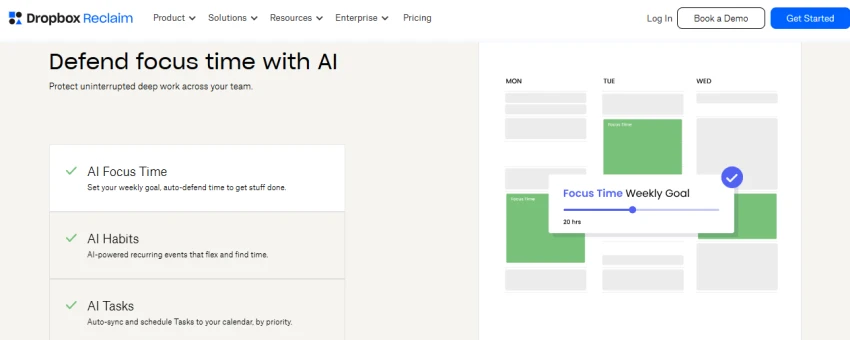
Reclaim removes the negotiation that eats calendars. It finds time for recurring work, reschedules it when something urgent lands, and lets others book you through a link instead of email ping-pong. Where Motion replaces your planner, Reclaim adds scheduling intelligence to the calendar you already use.
| Plan | Annual (per seat) | Monthly (per seat) | Notes |
|---|---|---|---|
| Lite | Free | Free | One user, free forever |
| Starter | $10/seat/mo | $12/seat/mo | Up to 10 seats, 8-week range |
| Business | $15/seat/mo | $18/seat/mo | Up to 100 seats, 12-week range |
| Enterprise | $22/seat/mo | Not available monthly | Annual only, 100+ seats, SSO |
Official site reclaim.ai.
There is no single winner, because saving time means different things for different jobs. This is a feature-based comparison. We have not run a controlled time-savings test, so there are no invented percentages here. What follows is where each tool is genuinely strongest.
Managing emails and drafting replies. For native inbox drafting, Copilot (Outlook) and Gemini (Gmail) win because they work inside the thread you are already reading. For fully autonomous triage, meaning an agent that watches the inbox and replies on its own, Lindy goes furthest.
Organising daily schedules and time-blocking. Motion is the strongest if you want software to build and rearrange your whole day. Reclaim wins if you would rather keep your existing calendar and just defend focus time around it.
Setting reminders and managing tasks. Motion and Reclaim lead because tasks and calendar are the same system. ChatGPT scheduled tasks are a lighter option for recurring nudges and briefings.
Researching topics and collecting information. Perplexity is the fastest route to a sourced answer. For longer, structured reports, the Deep Research modes in ChatGPT, Gemini, and Claude are all strong.
Summarising documents and conversations. Claude excels at long documents. Copilot is best for meetings you missed in Teams. Gemini NotebookLM is strong for querying your own file collections, and Motion has a notetaker for meeting recaps.
Automating repetitive workflows. Lindy is the clear leader as a no-code agent builder. ChatGPT and Gemini agent modes handle one-off multi-step tasks well but are not built for standing, triggered automations.
Working across multiple applications. Lindy (many integrations) and Copilot (Microsoft Graph across your work data) go deepest. Perplexity Comet and Claude connectors can act across the web and connected tools too.
Remembering preferences and previous context. ChatGPT, Claude, and Gemini all carry memory across chats. Lindy keeps cross-run memory so its agents stay consistent over time.
In short, if you want one assistant that does a bit of everything, ChatGPT or Gemini. If your time sink is scheduling, Motion or Reclaim. If it is research, Perplexity. If it is repetitive multi-app work, Lindy.
The labels get used interchangeably, but they describe different levels of capability, and the difference decides how much work a tool can actually remove.
This matters because a pure chatbot can become another thing to manage. It gives you an answer, but the clicking, copying, and scheduling stay your job. An assistant or agent is what turns “tell me what to write” into “it is already drafted.” When you are choosing for time savings, look for whether a tool can act in your apps, not just talk about the task.
No single product is right for every one of these. Matching the tool to your specific bottleneck is what produces real time savings.
In my experience, the question in the title has an uncomfortable answer. The assistant that saves you the most time is rarely the famous one, it is the one aimed at whatever is actually eating your day.
If you want my honest take, here is how I would choose. For general help with research, writing, and the odd multi-step task, I think ChatGPT is the most capable all-rounder, though I would reach for Gemini if my work lived in Google and Claude if I spent my days in long documents or code. When the real drain is time management, I am convinced a dedicated scheduler saves far more than any chatbot, and I would pick Motion if I wanted software to run my day or Reclaim if I would rather protect focus time on the calendar I already have. For research, Perplexity is the one I would keep open. And for repetitive, multi-app work, Lindy is the only tool here I would trust to actually run the job without me.
My main piece of feedback is this. The all-rounders are flexible but shallow on calendar and email, the specialists save the most time but do little outside their lane, and a couple of them, Lindy and Motion, give you no free plan to test with. I would also remind you that the tools that save the most time are the ones you hand the most access to, which is exactly why I would go slow on permissions. If I were you, I would pick for my single biggest bottleneck, start on a free plan or trial wherever one exists, and keep paying only for the tool that visibly gives me time back.
Related guides and breakdowns from the same category.






Join the conversation
No comments yet
Start the conversation on AI Personal Assistants Reviewed: Which One Actuall....